JavaScript error handling: try, catch, custom errors and async code
 Mosaddik Billah 6 min read
On this page
Most JavaScript bugs I get asked to fix aren’t complicated. Something failed, nobody noticed, and the app carried on with bad data. A form that says “saved” when nothing was saved. A page that spins forever because a request returned 404. Good error handling isn’t about catching everything. It’s about making failures visible and handled on purpose.
I ran every example below in Node.js; the output in the comments is what it printed.
try, catch and finally#
try runs some code; if anything in it throws, catch gets the error; finally runs either way.
function parseSettings(text) {
  try {
    return JSON.parse(text);
  } catch (err) {
    console.log(err.name, "-", err.message);
    return {}; // fall back to empty settings
  } finally {
    console.log("finally runs either way");
  }
}

parseSettings("{bad json");
// SyntaxError - Expected property name or '}' in JSON at position 1 (line 1 column 2)
// finally runs either way
Every error has a name (SyntaxError, TypeError…), a message, and a stack that shows where it happened. Log all three when you’re debugging.
finally is the place for clean-up that must happen whether things worked or not: hiding a loading spinner, re-enabling a button, closing a file.
Only catch what you can handle#
The most common mistake is a catch that swallows everything:
try {
  saveOrder(order);
} catch (err) {
  // nothing here
}
Now when saveOrder fails, for any reason including a typo in your own code, nothing happens. No message, no log, no clue. This is how “it says saved but nothing was saved” bugs are born.
Ask, for every catch: what will I actually do about this error?
- Show the user a message and let them try again? Good, do that.
- Fall back to a sensible default, like the empty settings above? Good.
- Nothing useful? Then don’t catch it here. Let it go up to a place that can do something, even if that’s only logging it.
Make your own error types#
When some failures are expected (bad user input) and others aren’t (a bug), give the expected ones their own class so you can tell them apart:
class ValidationError extends Error {
  constructor(field, message) {
    super(message);
    this.name = "ValidationError";
    this.field = field;
  }
}

function createUser({ email }) {
  if (!email?.includes("@")) {
    throw new ValidationError("email", "Please enter a valid email address.");
  }
  // ...save the user
}

try {
  createUser({ email: "nope" });
} catch (err) {
  if (err instanceof ValidationError) {
    showFieldError(err.field, err.message); // expected: tell the user
  } else {
    throw err; // unexpected: don't hide it
  }
}
The else { throw err } is the important line. You handle the error you understand and pass everything else on.
Add context with cause#
When you catch a low-level error and throw a clearer one, keep the original with cause, so you don’t lose the real reason:
async function loadOrder(id) {
  try {
    return await fetchOrderFromApi(id);
  } catch (err) {
    throw new Error(`Could not load order ${id}`, { cause: err });
  }
}

// err.message: "Could not load order 42"
// err.cause.message: "fetch failed"
The message says what failed in terms your app understands; err.cause still says why.
Errors in async code#
With async and await, try/catch works the way you’d hope, with one trap. This doesn’t catch anything:
async function wrong() {
  try {
    return failLater(); // returns the promise without waiting for it
  } catch {
    return "caught"; // never runs
  }
}
failLater() returns a promise, and return hands that promise straight out of the try block before it fails. The rejection happens later, outside your catch. Add await:
async function right() {
  try {
    return await failLater();
  } catch {
    return "caught"; // runs
  }
}
The same goes for any promise you start and don’t await: if it rejects, no catch around it will see it. In Node.js an unhandled rejection crashes the process by default, which is better than silence but not what you want in production. More on promises in async and await explained.
When you run several things at once and want all results even if some fail, use Promise.allSettled instead of Promise.all:
const results = await Promise.allSettled([loadProfile(), loadOrders(), loadMessages()]);

for (const r of results) {
  if (r.status === "fulfilled") console.log(r.value);
  else console.log("failed:", r.reason.message);
}
Promise.all stops at the first failure; allSettled waits for everything and tells you which ones worked.
fetch doesn’t throw on 404 or 500#
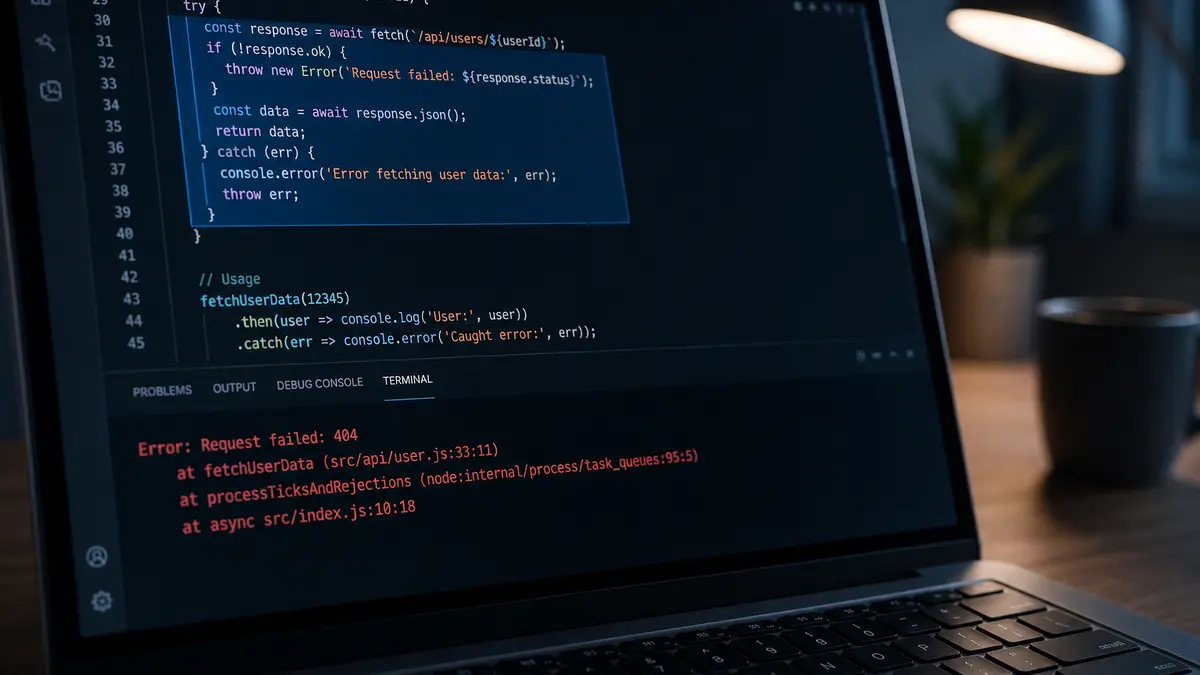
This one surprises nearly everyone. fetch only rejects when the request can’t be made at all (no network, a blocked request). A 404 Not Found or 500 Server Error is still a successful response as far as fetch is concerned. Check res.ok yourself:
async function getJson(url) {
  const res = await fetch(url);
  if (!res.ok) {
    throw new Error(`Request failed: ${res.status}`);
  }
  return res.json();
}
Without that check, your code tries to read the error page as data and fails somewhere else, with a much less helpful message. I go deeper into this in JavaScript fetch explained.
Always throw Error objects#
JavaScript lets you throw anything, including a plain string:
throw "something broke";Don’t. A string has no stack, so you lose the one thing that tells you where it happened. (When I caught that string, err.stack was undefined.) Throw new Error("something broke"), or one of your own error classes.
A safety net for what you missed#
However careful you are, something will slip through. Add one place that catches whatever nobody else did, and reports it instead of hiding it:
// In the browser
window.addEventListener("error", (event) => reportError(event.error));
window.addEventListener("unhandledrejection", (event) => reportError(event.reason));

// In Node.js
process.on("unhandledRejection", (reason) => {
  reportError(reason);
  process.exit(1); // let your process manager restart the app cleanly
});
reportError can send the error to a service like Sentry, or to your own logs. In React, an error boundary does the same job for rendering errors, so one broken component shows a fallback instead of blanking the whole page.
A short checklist#
- Every
catcheither handles the error or re-throws it. No empty catches. - Expected failures (bad input, not found) get their own error class or a clear check.
awaitinsidetry, or thecatchwon’t see async failures.- Check
res.okafter everyfetch. - Throw
Errorobjects, never strings, and usecauseto keep the original. - One global handler reports anything you missed.
- The user always sees something when an action fails: a message, a retry button, never a silent spinner.
If your app is failing in ways you can’t pin down, I do API integration and debugging work on JavaScript backends and Wix sites.
Comments